

Regular expressions (RegEx) are powerful patterns used to match and manipulate text in SQL queries and programming languages. This post covers regex syntax fundamentals including character classes, quantifiers, anchors, groups, and how to apply regular expressions in Oracle SQL using REGEXP_LIKE, REGEXP_REPLACE, and other regex functions.
What are Regular Expressions?
We have already used the WHERE clause in queries to filter for specific text.
For example: select * from emp where ename='ALEX';
This is an example of searching for an exact match. Only records that match the name and the case will be returned.
Regular expressions or regex for short are patterns that describe a set of characters used to match that pattern. They consist of a sequence of literals which are actual characters to search for and metacharacters.
- Regular Expressions aka RegEx
- Used for pattern matching in text strings
- Uses a combination of characters, metacharacters and operators to define a search pattern
- Regex is extremely powerful in searching for and manipulating text
- There are specific functions in SQL that utilize RegEx
RegEx functions
REGEXP_LIKE : Use this function in the WHERE clause of a query to return rows matching the RegEx pattern you specify.
REGEXP_REPLACE: This function searches for a pattern in the character column and replaces each occurrence of that pattern with the pattern you specify.
REGEXP_INSTR: This function searches a string for a given occurrence of a RegEx pattern. You specify which occurrence you want to find and the start position to search form. The function will return an integer indicating the position in the string where the match is found. If no matches are found it returns 0.
REGEXP_SUBSTR: This function returns the substring matching the RegEx pattern you specify.
REGEXP_LIKE
- Performs regular expression matching and will return records containing that pattern - does not need to match entire string just a part of it
- Used in the 'WHERE' clause
select * from customers where regexp_like(full_name, '\w+ \w+ \w+');
select * from stores where regexp_like(physical_address, '[A-Z]{2} \d{5}');
select * from customers where regexp_like(full_name, '^Ste(ph|v|en)');
REGEXP_INSTR
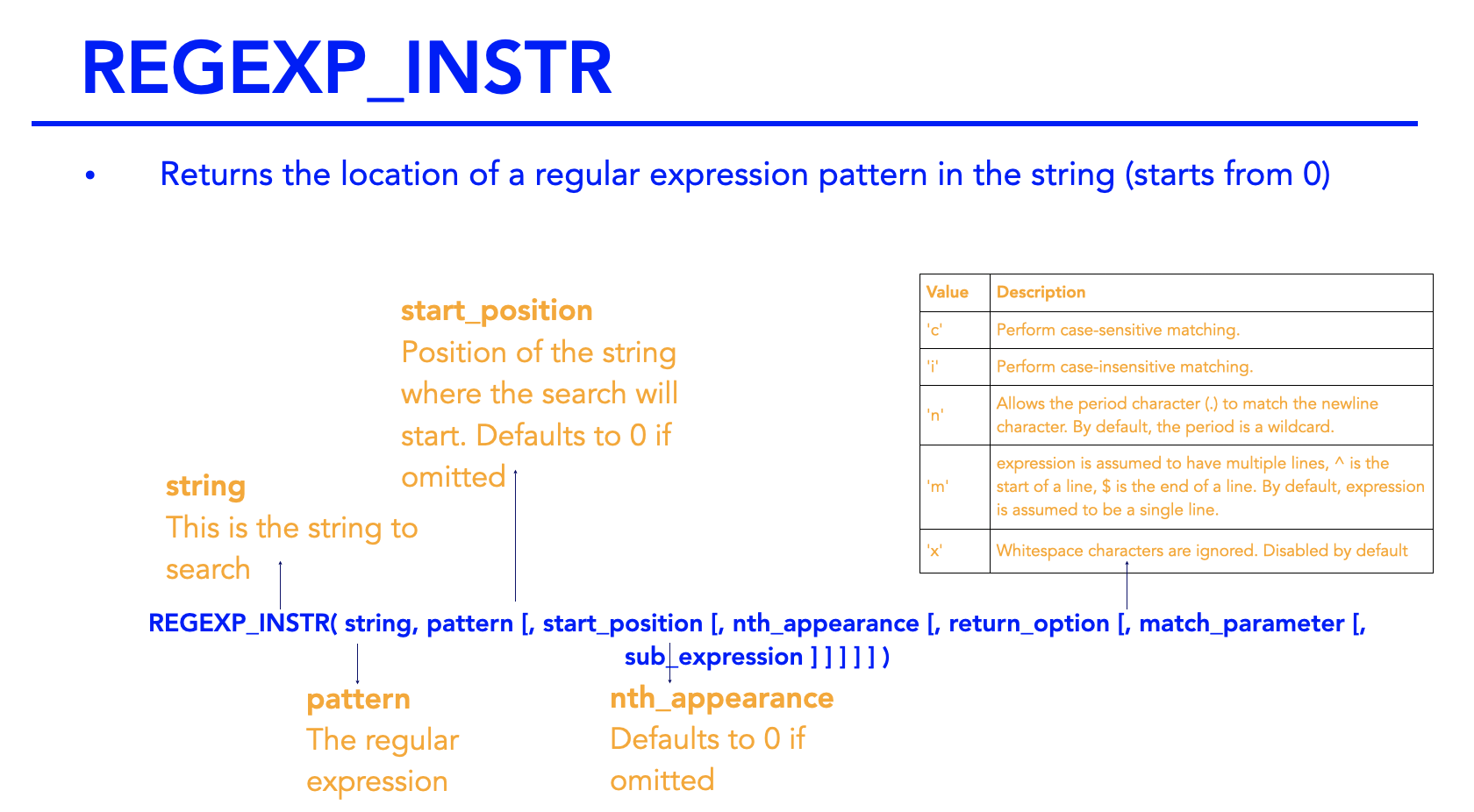
For example
select name, regexp_instr(name, 'n') from eba_countries;
select name, regexp_instr(name, 'n') from eba_countries where regexp_instr(name, 'n') = 7;
select name from eba_countries where regexp_instr(name, '\(.*\)') > 0;
REGEXP_SUBSTR
REGEXP_SUBSTR function is used to extract a substring from a string based on a matching pattern.
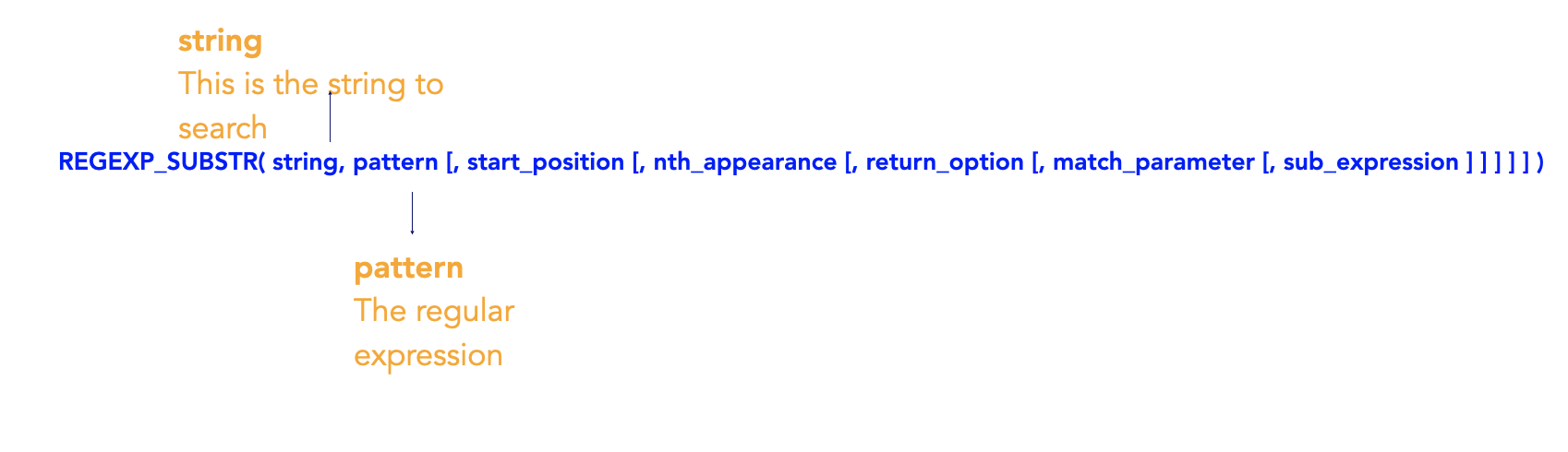
Example:
select name, regexp_substr(name, '^A.+a$') from eba_countries;
select name, regexp_substr(name, '^\w+ ') from eba_countries;
REGEXP_REPLACE
Replace a sequence of characters with another sequence of characters
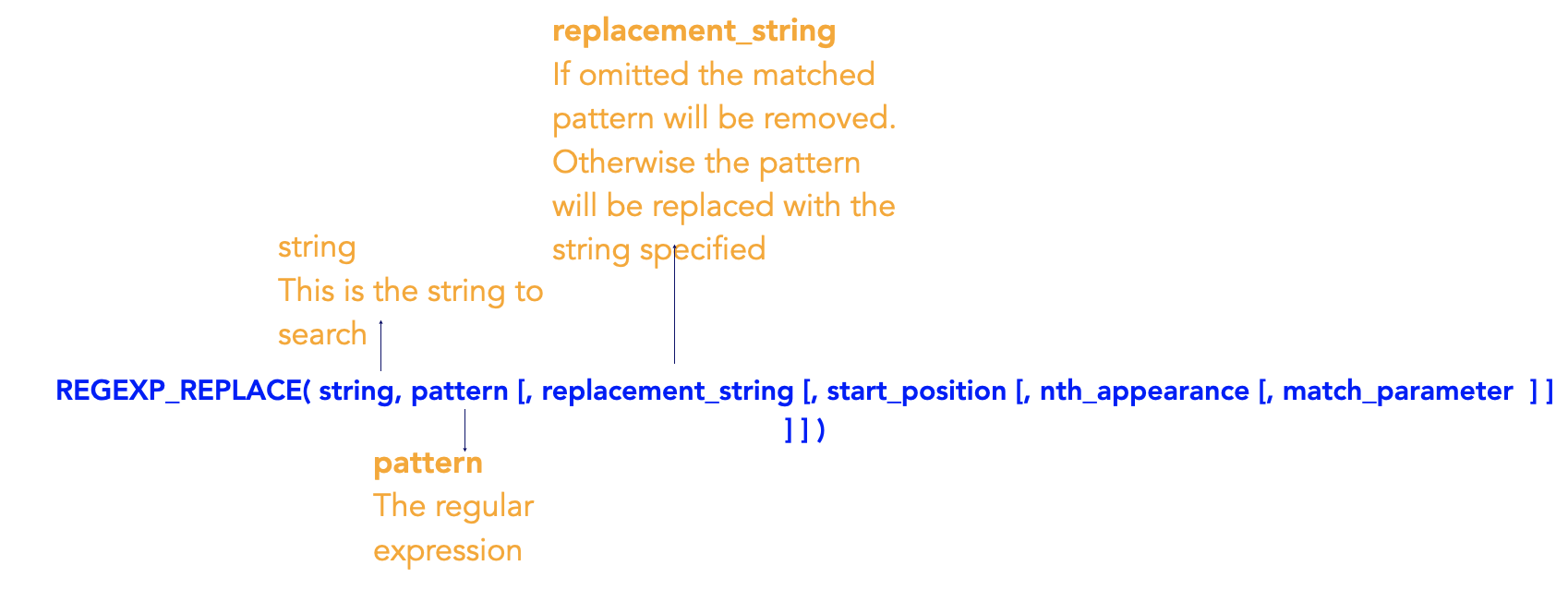
Example:
select email_address, regexp_replace(email_address, 'internalmail', 'intermail.com') from customers ;
select email_address, regexp_replace(email_address, '\.', '-') from customers ;
select email_address, regexp_replace(email_address, '(.+)(@)(.+)', '\3\2\1') from customers;
More metacharacters - character class
[[:alnum:]] = Matches all alphanumeric characters
[[:alpha:]] = Matches all alphabetic characters
[[:digit:]] = Matches all numeric digits
[[:punct:]] = Matches all punctuation characters
Here are some useful links that cover Metacharacters and RegEx Functions for some of the different Database Management Systems:
Metacharacters
Official Microsoft Documentation
Regular Expression Functions
* Note that Microsoft SQL Server does not support built-in RegEx functions, you can however use the LIKE operator with metacharacters to define a search pattern
Frequently Asked Questions
What are regular expressions?
Regular expressions are sequences of characters that define a search pattern, used for string matching, validation, and manipulation in programming languages and databases — for example, validating an email address format or extracting phone numbers from text.
How do you use regular expressions in SQL?
Oracle SQL provides regex functions like REGEXP_LIKE for filtering rows, REGEXP_REPLACE for substitution, REGEXP_SUBSTR for extraction, and REGEXP_INSTR for finding positions — enabling powerful text pattern matching within SQL queries.