

Data cleansing and manipulation are essential SQL skills for working with real-world databases where data is often incomplete, inconsistent, or improperly formatted. This post covers Oracle SQL functions for handling NULL values (COALESCE, NVL, NULLIF), string manipulation functions, and CASE expressions for transforming and cleaning data within SQL queries.
Coalesce and NVL
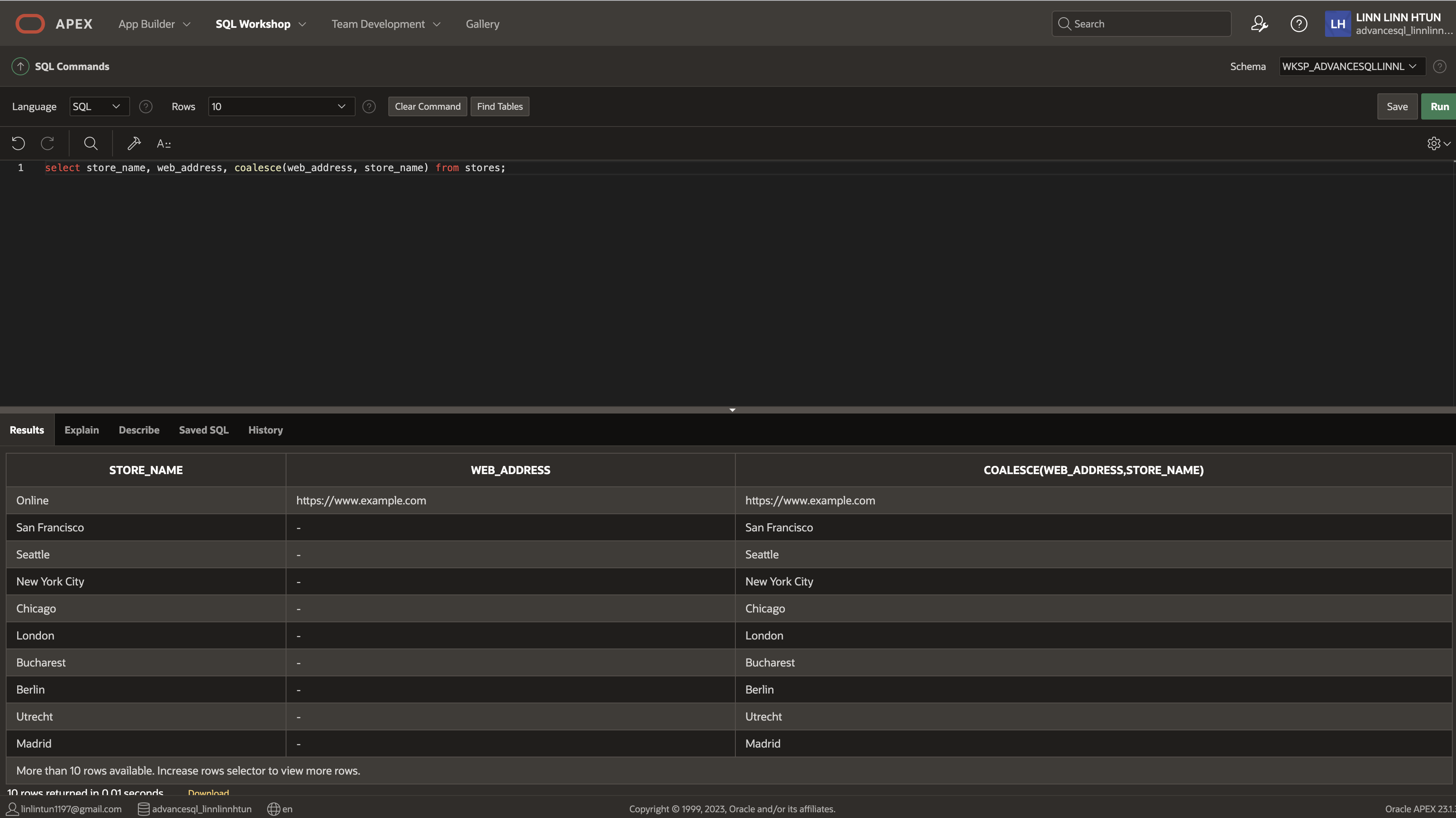
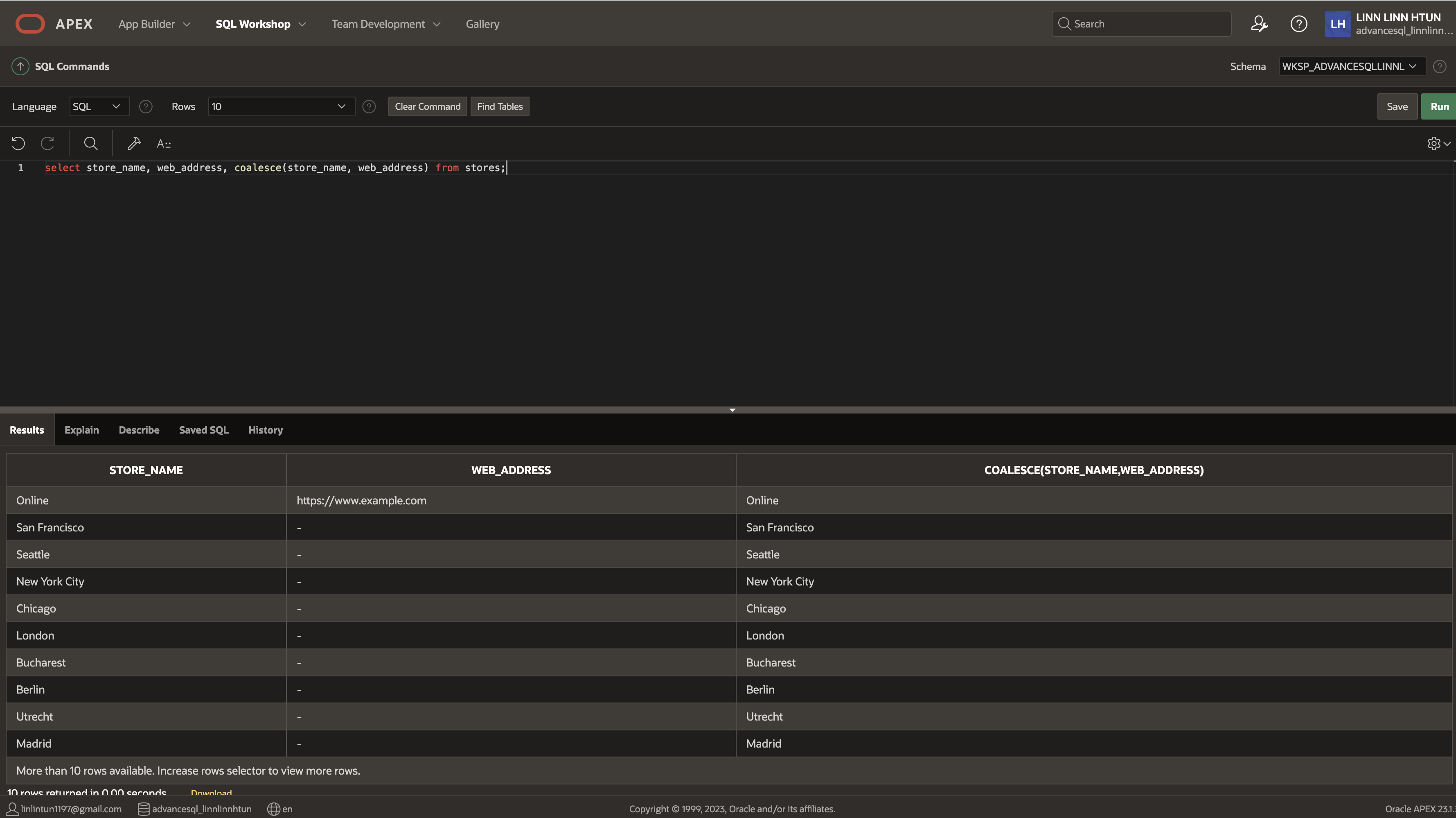
Coalesce takes two or more expressions, and for each row it returns the first value from these expressions that is not null. So, let's say you have two columns, first name and nickname. Sometimes you find that the first name is left blank and when it's left blank, usually the first name is input in the nickname field by accident. You can create a column using Coalesce to return the first name if it is not null. Otherwise, return the nickname if the first name is null. So as you can imagine, ordering is important as it will take the value from the first expression that is not null. If all of the expressions are null, then it will return null.
The datatypes in each expression must also be the same. You can't have a numerical datatype in the first expression and a character datatype in the next.
The syntax for Coalesce is to have coalesce. Open parentheses and list all of the expressions you'd like to include.
COALESCE(EXPRESSION_1, EXPRESSION_2....EXPRESSION_N)
Example 1:
Example 2:
NVL
- NVL function replaces null values from an expression with a specified string. It takes 2 parameters, the expression and the replacement string. (For example, if you wanted all null values to be zero, instead you can do that)
- If the expression in the first parameter is a character then it converts the replacement string to a character
- If it is numeric then Oracle determines which argument has the highest numeric precedence, implicity converts the other argument to that datatype and returns that datatype.
NVL(EXPRESSION, REPLACEMENT_STRING)
eg. select ename, NVL(ename, 'no name') from emp where
Note: In SQL Server and MySQL the equivalent function to NVL() is ISNULL() which takes the same parameters
TRIM
- TRIM enables you to trim leading or trailing characters (or both) from a character string
- If trim_character or trim_source is a character literal, then you must enclose it in single quotes
- The default trim_character is a whitespace. By default BOTH leading and trailing trim_characters are removed from the trim_source
select ename, trim('K' from ename) from emp;
LPAD, RPAD
- LPAD function pads the left side of an expression with a specific set of characters until it reaches its padded length
- RPAD function pads the right side of an expression with a specific set of characters until it reaches its padded length
Example for LPAD
select lpad(empno, 5, 0) from emp;
Example for RPAD
select job, rpad(job, 6, 'X') from emp;
GREATEST / LEAST
- The greatest function returns the greatest value in a list of expressions
- The least function returns the lowest value in a list of expressions
- The first expression is used to determine the data type
Example:
select emp.*, least(sal, 3000) from emp;
select emp.*, greatest(sal, 1000) from emp;
PIVOT
- PIVOT allows you to rotate rows into columns in a table
- You can't input a subquery to obtain you list with PIVOT
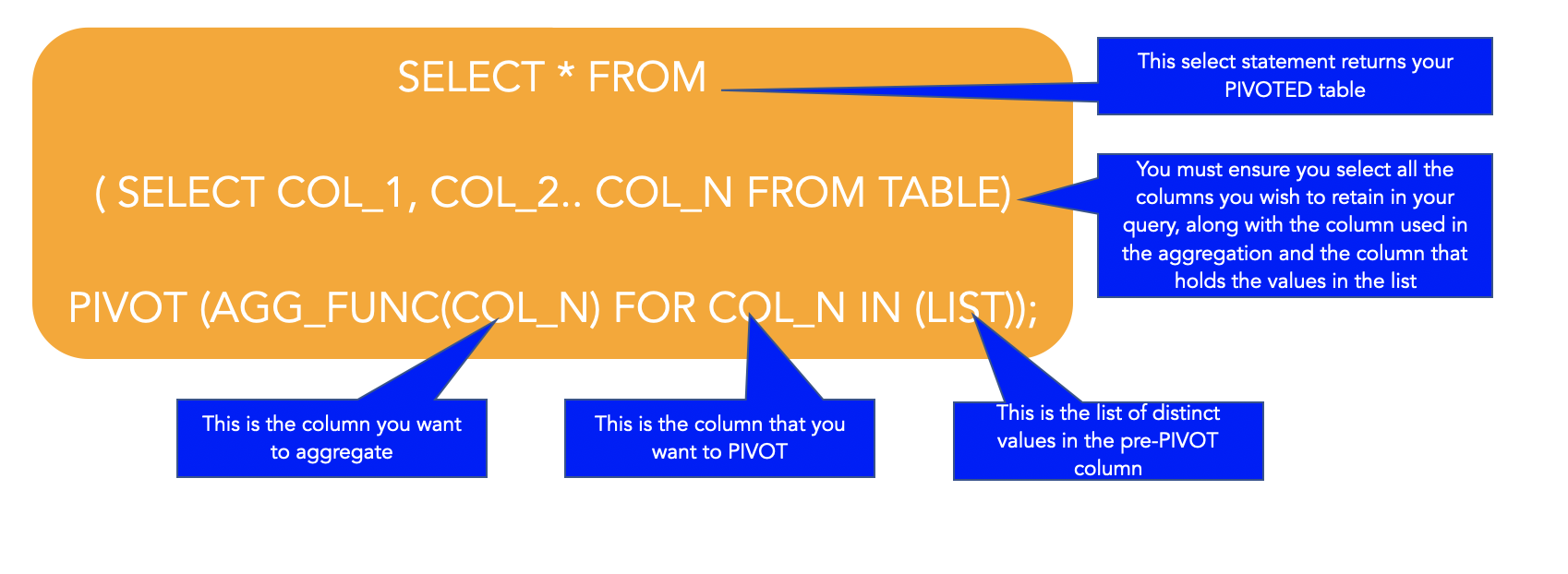
select * from
(select region_id, sub_region_id, population from eba_countries)
pivot (sum(population) for region_id in (10,20,30,40,50));
UNPIVOT
- UNPIVOT transforms columns to rows, which is the opposite of PIVOT

For example
create table avg_test_scores(class varchar(10), maths number, science number, english number);
insert into avg_test_scores values ('7A', 70, 50, 80);
insert into avg_test_scores values ('7B', 80, 60, 50);
insert into avg_test_scores values ('7C', 90, 60, 50);
select * from avg_test_scores
unpivot(avg_score for subject in (MATHS, SCIENCE, ENGLISH));
Frequently Asked Questions
What is the difference between COALESCE and NVL in SQL?
COALESCE accepts multiple arguments and returns the first non-NULL value — it is ANSI SQL standard; NVL is Oracle-specific and only accepts two arguments, returning the second if the first is NULL. COALESCE is generally preferred for portability.
How do you handle NULL values in SQL queries?
Use IS NULL or IS NOT NULL in WHERE clauses to filter NULL rows, COALESCE or NVL to replace NULLs with default values, and NULLIF to convert specific values back to NULL for cleaner aggregation results.