
Amazon ElastiCache is a fully managed in-memory data store and caching service that supports both Redis and Memcached. This post covers how ElastiCache improves application performance by reducing database load, the differences between Redis and Memcached on AWS, caching strategies, and common use cases like session management and leaderboards.
Amazon ElastiCache Overview
- The same way RDS is to get managed Relational Databases …
- ElastiCache is to get managed Redis or Memcached
- Caches are in-memory databases with really high performance, low latency
- Helps reduce load off of databases for read intensive workloads
- Helps make your application stateless
- AWS takes care of OS maintenance / patching, optimizations, setup, configuration, monitoring, failure recovery and backups
- Using ElastiCache involves heavy applications code changes
ElastiCache
Solution Architecture - DB Cache
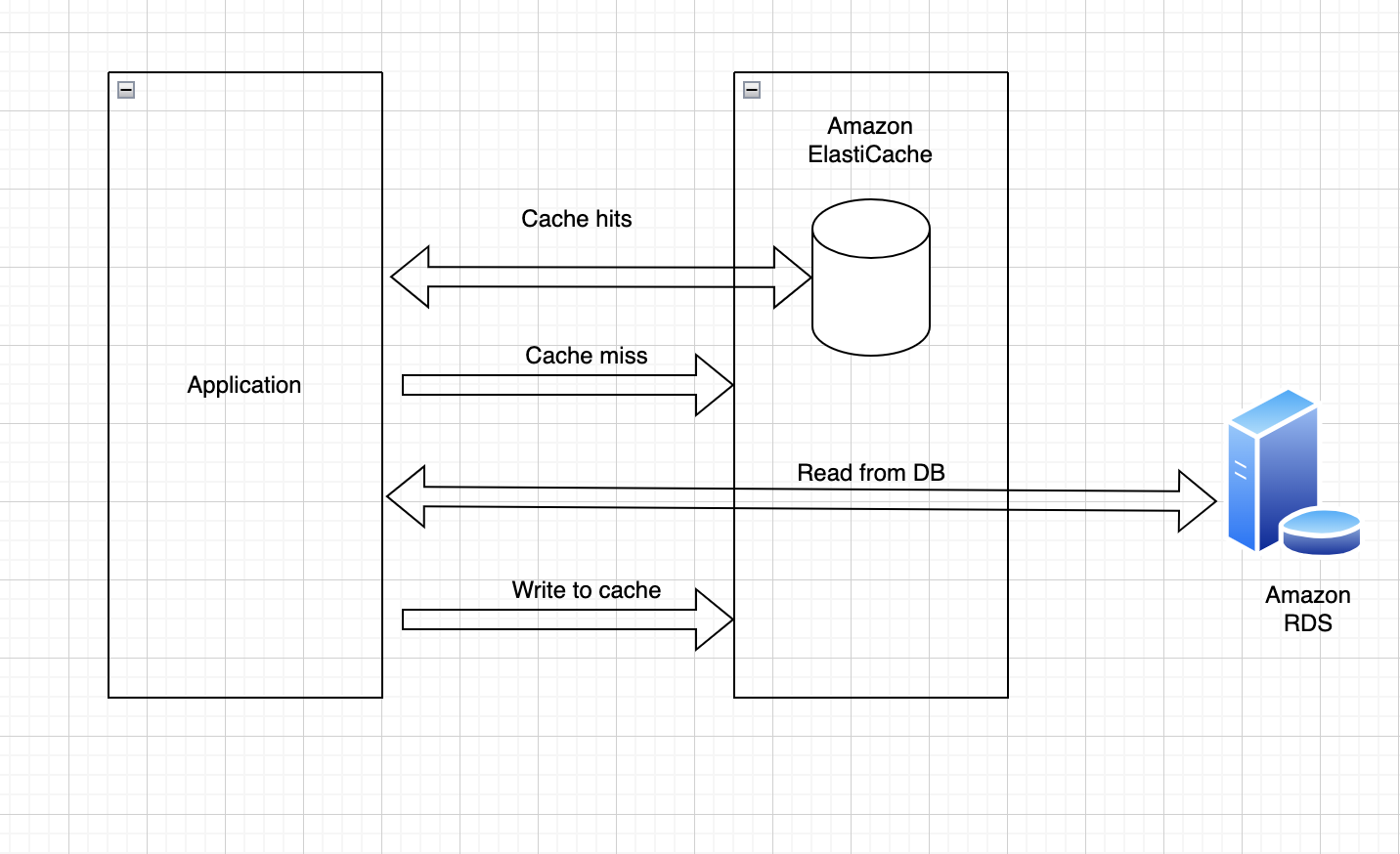
- Applications queries ElastiCache, if not available, get from RDS and store in ElastiCache
- Helps relieve load in RDS
- Cache must have an invalidation strategy to make sure only the most current data is used in there.
ElastiCache
Solution Architecture - User Session Store
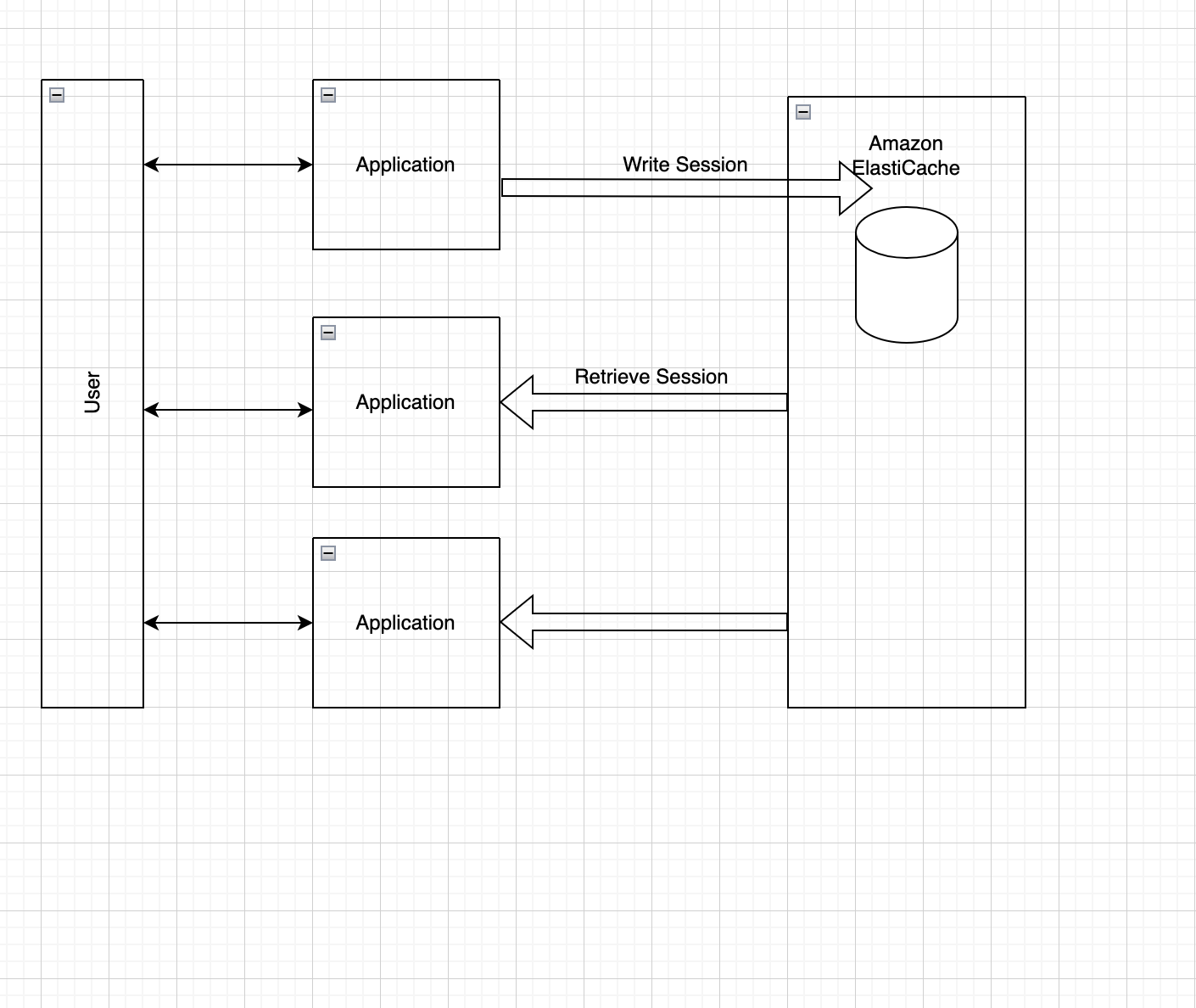
- Users logs into any of the application
- The application writes the session data into ElastiCache
- The user hits another instance of our application
- The instance retrieves the data and the user is already logged in
ElastiCache - Redis vs Memcached
REDIS
- Multi AZ with Auto-Failover
- Read Replicas to scale reads and have hight availability
- Data Durability using AOF persistence
- Backup and restore features
- Supports Sets and Sorted sets
MEMCACHED
- Multi-node for partitioning of data (sharing)
- No high availability (replication)
- No persistent
- No backup and restore
- Multi-threaded architecture
ElastiCache Hands-on
Go ElastiCache Service > Click Get Started bin > click Create cluster > choose create Redis cluster > Choose Configure and create a new cluster > Cluster mode > disabled > custer Info > put name as you like > Location > AWS Cloud > choose Auto-failover > Cluster settings > Node type > choose t2 micro > Number of replica > 0 > Subnet group settings > Name - my-first-subnet-group > Click next > Backup > Uncheck Enable automatic backups > Click next > click create
Frequently Asked Questions
What is Amazon ElastiCache?
Amazon ElastiCache is a managed in-memory caching service that supports Redis and Memcached, allowing you to retrieve data from fast in-memory caches instead of slower disk-based databases to dramatically improve application response times.
When should you use Redis vs Memcached in ElastiCache?
Choose Redis when you need persistence, complex data structures, pub/sub messaging, or multi-AZ replication; choose Memcached when you need a simple, high-performance, multi-threaded cache for basic key-value storage.